.png)
The Essential Compliance Features Every Small Business Website Must Have
Updated: Mar 9
When small business owners create a website, the focus often falls on design elements like colors, fonts, photos, and layout. These are important, but there is one detail that many overlook: adding clear compliance information. This small addition can significantly boost your website’s trustworthiness, professionalism, and long-term success.
Many freelancers skip this step, and most DIY site builders don’t even know it’s necessary. Yet, including compliance information is one of the easiest ways to protect your business and build confidence with your visitors.
Why Compliance Information Matters
Most websites collect some form of visitor information, often without the owner realizing the full scope. This can include:
Emails submitted through contact forms
Phone numbers from booking or inquiry forms
Names and details from lead magnets or newsletter sign-ups
Messages sent via chat boxes
Data collected by analytics or tracking tools
Once your website collects any of this information, it becomes part of your business ecosystem. This is not something to fear. Instead, it means your website is a valuable digital asset that supports your operations and growth.
Adding compliance information helps visitors understand:
What data you collect
Why you collect it
How you use it
How they can contact you with questions or concerns
This transparency builds trust and shows that you respect your visitors’ privacy and rights.
What Most People Overlook
When building a website, many focus on the visual and functional aspects but miss the compliance essentials. Commonly overlooked elements include:
Privacy Policy
Terms and Conditions
Cookie notices or tracking disclosures
Clear explanations about forms and data collection
Contact information specifically for privacy or data questions
Instructions on how visitor information is handled
These are not complicated to add. They are standard business practices that make your website feel complete and credible. Without them, your site may seem unfinished or unprofessional, which can deter potential customers.
Key Compliance Features Your Website Needs
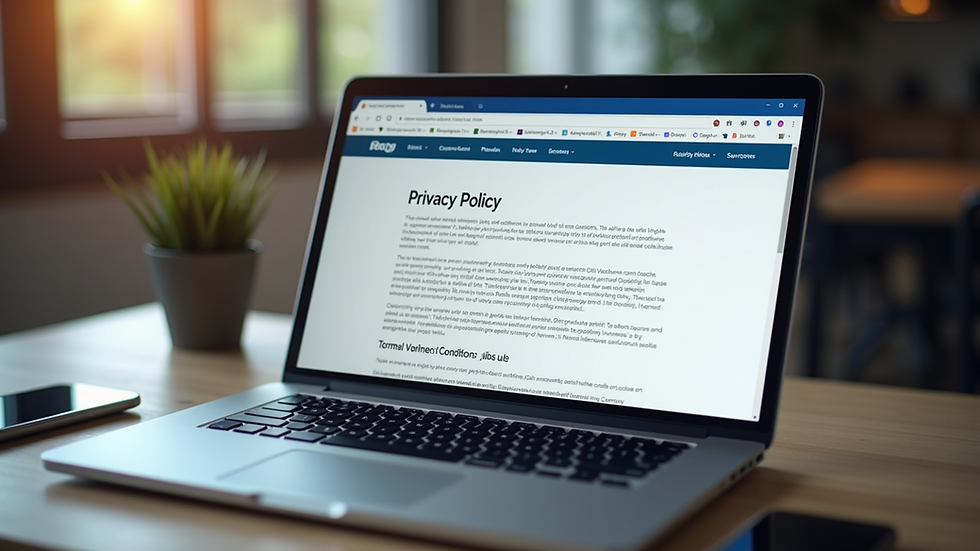
Privacy Policy
A Privacy Policy explains how you collect, use, and protect visitor data. It should be easy to find and written in clear language. This document reassures visitors that you handle their information responsibly.
Example: If your site collects emails for a newsletter, your Privacy Policy should state this and explain how you store and use those emails.
Terms and Conditions
Terms and Conditions set the rules for using your website and services. They protect your business by clarifying what visitors can expect and what you are not liable for.
Example: If you sell products or services online, your Terms should cover payment terms, refunds, and delivery policies.
Cookie Notice
If your website uses cookies or tracking tools, you must inform visitors and, in some regions, get their consent. This notice explains what cookies do and how users can manage their preferences.
Example: A banner or pop-up that appears when someone first visits your site, explaining cookie use and offering options to accept or decline.
Clear Form Explanations
Every form on your website should include a brief note about what happens to the data submitted. This can be a short sentence near the form fields or a link to your Privacy Policy.
Example: “Your email will be used only to send you our newsletter. We do not share your information.”
Contact Information for Privacy Questions
Provide a dedicated email or contact form for visitors to ask about privacy or data concerns. This shows you take their rights seriously and are open to communication.
How Compliance Builds Your Brand and Protects Your Business
Adding these compliance features does more than meet legal requirements. It strengthens your brand by:
Showing professionalism and attention to detail
Building trust with visitors and potential customers
Reducing the risk of legal issues or fines related to data privacy
Making your website a true digital asset that supports growth
Visitors are more likely to engage with a website that clearly explains how their data is handled. This can lead to higher conversion rates and better customer relationships.
Practical Steps to Add Compliance Information
Research your legal requirements. Depending on your location and audience, you may need to comply with laws like GDPR (Europe), CCPA (California), or others.
Use templates or generators. Many online tools can help you create Privacy Policies and Terms tailored to your business.
Place compliance links in the footer. Make sure Privacy Policy, Terms, and Cookie notices are easy to find on every page.
Add cookie consent banners if needed. Use plugins or scripts that manage cookie consent automatically.
Include short explanations near forms. This reassures visitors right where they submit their data.
Provide a clear contact method for privacy questions. A dedicated email or form works well.
The Importance of Transparency
Transparency is key in today's digital landscape. When you provide clear compliance information, you not only adhere to legal standards but also foster a sense of security among your visitors. They want to know that their data is in safe hands. By being upfront about your practices, you create a welcoming environment that encourages engagement.
Building Trust Through Compliance
Trust is the cornerstone of any successful business relationship. By incorporating compliance information, you signal to your visitors that you value their privacy and are committed to protecting their data. This trust can translate into loyalty, repeat business, and positive word-of-mouth referrals.
Final Thoughts
Your website is more than a digital brochure. It is a growing asset that collects valuable information and supports your business operations. Including clear compliance information is a simple step that many overlook but that can make a big difference.
By adding a Privacy Policy, Terms and Conditions, cookie notices, form explanations, and contact info for privacy questions, you build trust and protect your business. This small detail strengthens your brand and helps your website work harder for you.
Are you ready to take your website to the next level? Let's chat about how compliance can enhance your online presence!


.jpg)
Comments